In this post, I will share an idea of how you can point your .np domain website to Github Pages (gh-pages) website. It is much easier to point any domain towards the gh-pages website by simply adding A Records to domain settings and CNAME to our gh-pages Github repository.
But the problem with .np domains is that we can’t add A records as there is no field to add A record to our domain properties. To solve this problem, we will make use of Cloudflare a CDN(Content Delivery Network) that allows us to manage our domains in an easiest and reliable way.
And also, it doesn’t charge any fees for doing this, and we can manage multiple sites with Cloudflare. So follow the steps below:
- first, make sure that you have added
CNAMEfile to your github repository In my case I would add lakshmanbasnet.com.np inCNAMEfile. RememberCNAMEfile has no any extensions and its filename should all be capitalized - second step is to go to cloudflare and make an account (go with free plan)
- at the top click on
Addsite

- add your domain name and begin scan
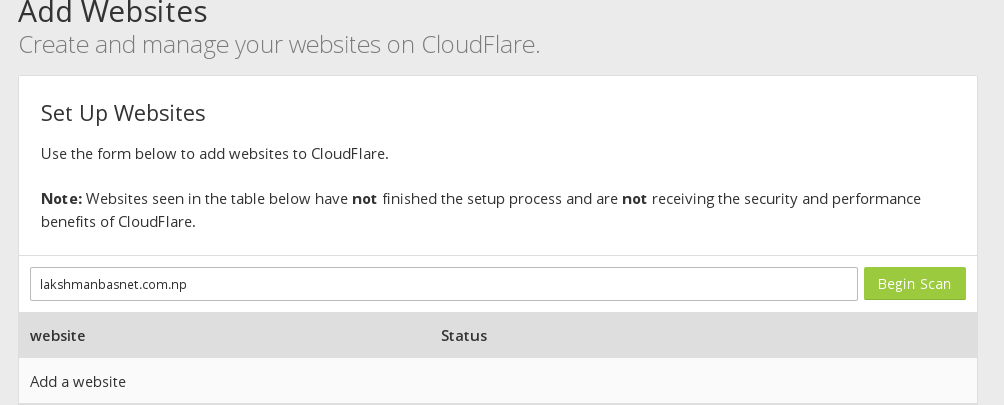
- after waiting for some time, it scans and suggests you what to do
- after the scan is over, slicck on
Continue Setup - since, we want our domain to point to
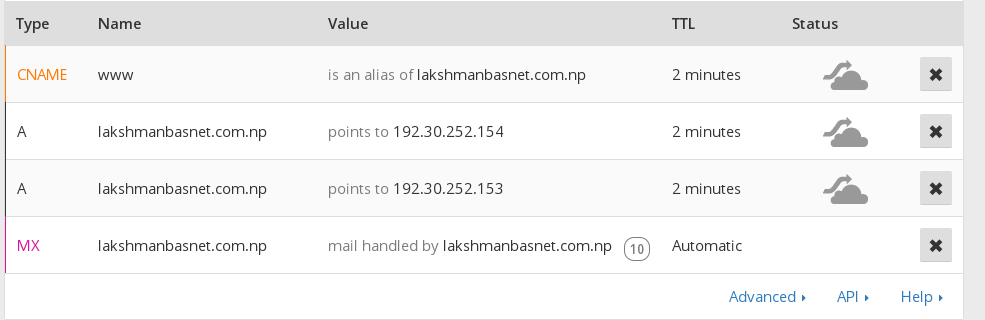
gh-pageslets add twoA Recordsfor Github Pages - Now, lets add first
A Record, inNamefield add your domain name and inIPV4 address fieldaddgh-pagesaddress i.e192.30.252.153

- similarly for next record
A Record, do as previous but inIPV4 address fieldaddgh-pages'address i.e192.30.252.154 - for timestamp, you can select the smallest available time, larger time you choose, more time it takes for changes to happen

- also make sure that you have
CNAMErecord to point your domain name with and withoutwwwto same location
- now click on
Continueand after that make sure you choose free plan and tapContinue
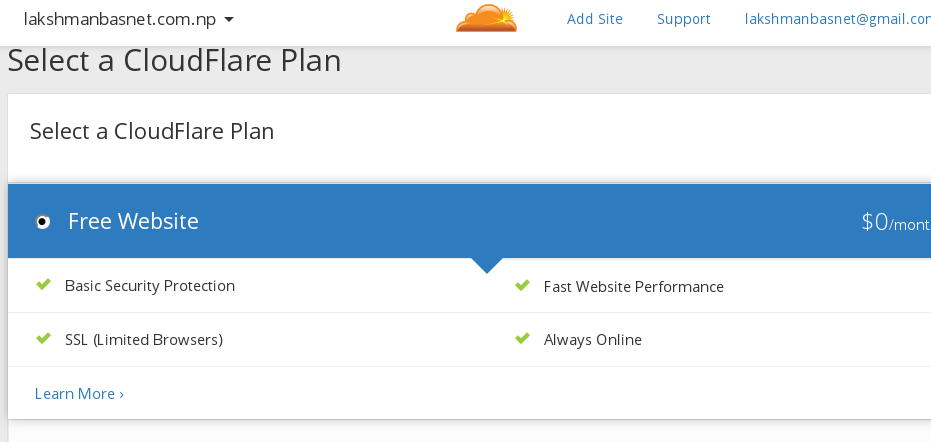
- after this step Cloudflare automatically suggests you what to do as in my case I have to update the nameservers to what cloudflare has said to. for your case also, you need to do as directed
- now its time to update the
nameserversprovided by cloudflare in your.npdomain setting. - goto MOS site, login to your account and update the nameserver as said by cloudflare
- after updating the nameserver in mos site, come back to cloudflare setup page and click on
continue - it might take some time, wait until it completes and finally you are done!!
This way you can easily point your .np domain to Github sites, gh-pages site or any Jekyll Sites.